Glitch
A glitch is a fault or bug in a system. In the case of video and images it usually is caused by corrupted data, interference in the signal or software bugs. These faults can come up as displacements of pixels, colors or areas stretching/shrinking. In old tube like screens it can come up as a horizontal displacement or a specific distortion in one or more of the RGB channels.
It’s often used in Motion Graphics, and sci-fi scenes.
Note
I’ve exaggerated the effects in this images so you can see more clearly what they do. In real uses you will probably want to be more subtle and use lots of masks.
Toolkit
These nodes are designed to work together to create the overall effect. Think of them as building bricks.
Bulge
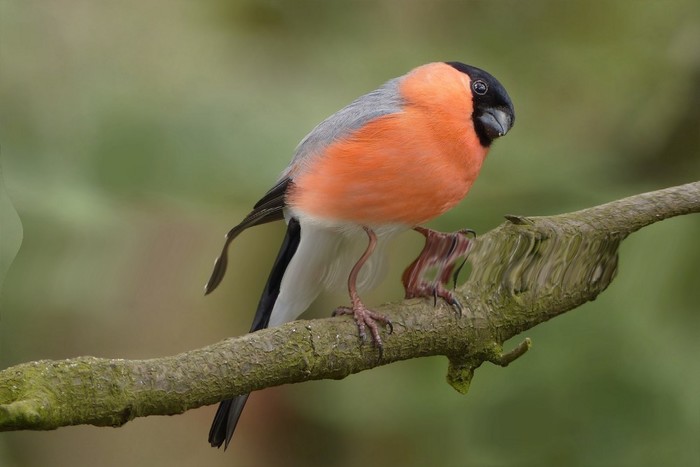
Simulates a massive horizontal distortion on the screen.
| Inputs | Description |
|---|---|
| Image | Original image |
| Influence | Intensity |
| Blur | Soften Bulge |
| Position | Position (in Y) |
| Mask | Mask out areas of the effect |
| Outputs | Description |
|---|---|
| Image | The resulting image |
Pixel
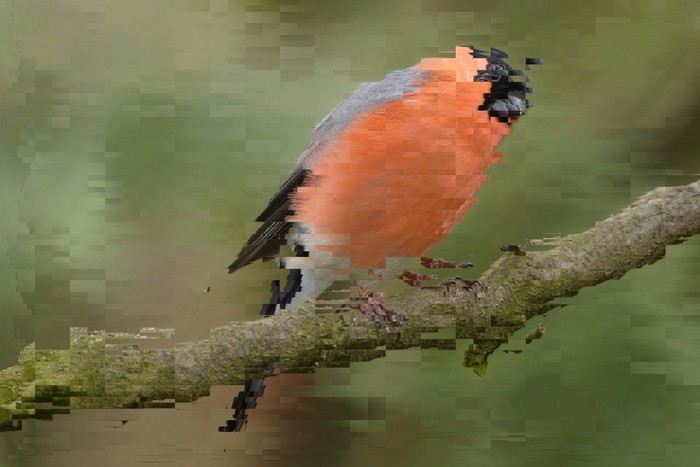
Simulates corrupted image/video data by displacing pixels.
| Inputs | Description |
|---|---|
| Image | Original image |
| Influence X | Intensity (horizontally) |
| Influence Y | Intensity (vertically) |
| Scale X | Width of pixel distortions |
| Scale Y | Height of pixel distortions |
| Animation Offset | Offset to animate the effect |
| Mask | Mask out areas of the effect |
| Outputs | Description |
|---|---|
| Image | The resulting image |
Lines
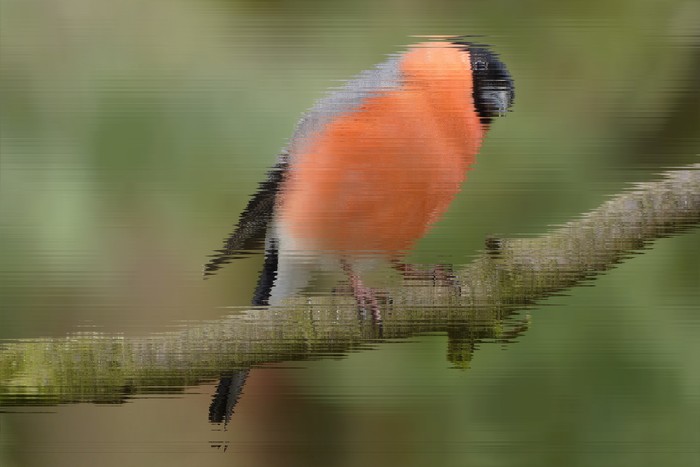
Simulates corrupted data by randomly displacing lines.
| Inputs | Description |
|---|---|
| Image | Original image |
| Influence | Strength of the effect |
| Line Stretch | How much to stretch from the original image |
| Mask | Mask out areas of the effect |
| Outputs | Description |
|---|---|
| Image | The resulting image |
Pixel Mask

A mask made of blocks cutting into blocks. Can be used to simulate corrupted pixels.
Note
You can use negative values in the scale settings, as well as in other nodes. This will push pixels the opposite way.
| Inputs | Description |
|---|---|
| Scale X | Width of the distorted pixels |
| Scale Y | Height of the distorted pixels |
| Fill | How much of the area to fill |
| Animation Offset | Offset to animate the effect |
| Outputs | Description |
|---|---|
| Mask | Black and white mask |
Presets
These nodes are built on the previous toolkit nodes. They are meant to be an example of how to use the toolkit nodes together. You can use these nodes as they are, but you will often find it more flexible to use the toolkit nodes directly in your compositions.
Simple Glitch
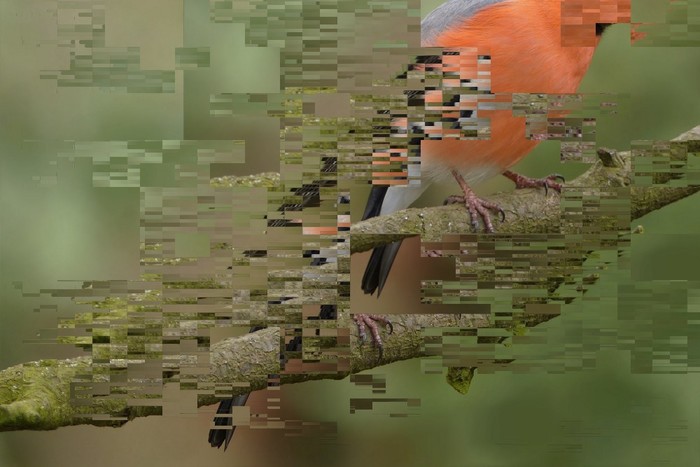
A simple version of the glitch effect, aimed at getting better performance. It doesn’t include any channel distortions. Includes Pixel and Pixel mask.
| Inputs | Description |
|---|---|
| Image | Original image |
| Large Distortion Scale | Size for large pixel distortions |
| Large Distortion Influence | Intensity of large distortions |
| Small Distortion Influence | Intensity of small distortions |
| Small Distortion Width | Width of small pixel distortions |
| Small Distortion Height | Height of small pixel distortions |
| Small Distortion Fill | Fill of the pixel mask for small distortions |
| Animation Offset | Offset to animate the effect |
| Mask | Mask out areas of the effect |
| Outputs | Description |
|---|---|
| Image | The resulting image |
Complex Glitch
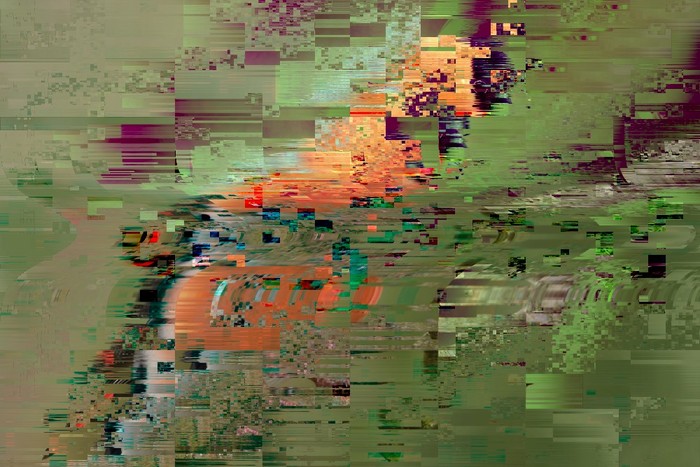
The full glitch. Includes distortions on individual RGB channels. Includes Pixel mask, Pixel, Bulge and Lines.
| Inputs | Description |
|---|---|
| Image | Original image |
| Influence on Red Channel | Intensity of distort in the Red Channel |
| Red Channel Distortion | Amount of Red channel to cover with distortion |
| Influence on Green Channel | Intensity of distort in the Green Channel |
| Green Channel Distortion | Amount of Green channel to cover with distortion |
| Bulge Influence | Intensity of Bulge |
| Bulge Position | Position (in Y) of Bulge |
| Bulge Blur | Soften the bulge |
| Large Distortion Influence | Intensity of large distortions |
| Large Distortion Scale | Size of large distortions |
| Line Stretch Influence | Intensity of horizontal stretching |
| Line Stretch Fill | Amount of image to cover with stretching |
| Animation Offset | Offset to animate the effect |
| Mask | Mask out areas of the effect |
| Outputs | Description |
|---|---|
| Image | The resulting image |
Glitch (old)
Note
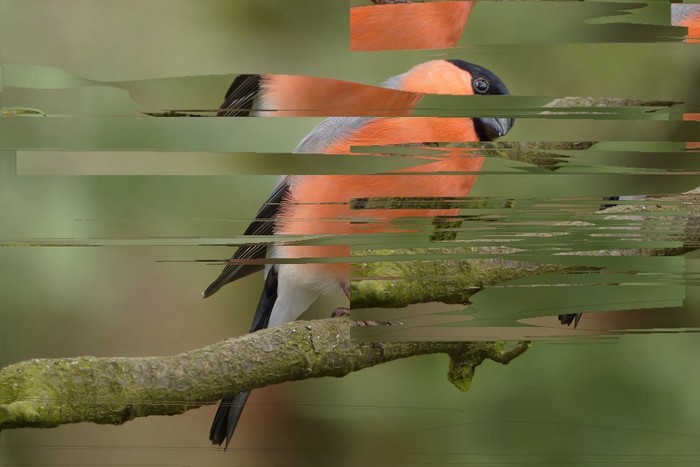
This is the old glitch effect from Enhance v1. It doesn’t use any of the toolkit nodes.
Simulates the glitching effect of a corrupted video file. If you want to further customize, open the node group and tweak the values in the “Mask Creation” Frame.
You can animate the Base offset property to animate the Glitch without affecting the displacement intensity, although it’s recommended to do both.
| Inputs | Description |
|---|---|
| Image | Original image |
| Intensity | Strength of the effect |
| Displace 1 X/Y | Width and Height of the first displacements |
| Displace 2 X/Y | Width and Height of the second displacements |
| Displace 3 X/Y | Width and Height of the third displacements |
| Base Offset | Offset to animate the effect |
| Mask | Mask out areas of the effect |
| Outputs | Description |
|---|---|
| Image | The resulting image |