Lens Flares
Lens flares refer to effects generated by the scattering and reflection
of light inside the lenses of a camera. These effects can vary greatly
depending on the camera, type of lens, type of image source and surroundings
and the position of the bright spots (highlights) in relation to the camera.
This group contains nodes to build and simulate lens flares. The results
aren’t fully realistic but they can be fairly accurate (and they look cool).
Warning
Some of these nodes (specially in presets) eat Gigabytes for breakfast.
Watch out for performance issues if you’re doing large formats.
I’ve seen as much as ~8-10GB of usage when doing 2K images with
the large rainbow preset.
Toolkit
These nodes are designed to work together to create
the overall effect. Think of them as building bricks.
Note
You will usually want to have the Chromas in Lens, or lens reflexes nodes at
the beginning, since they a lot on highlights.
Basic Glow
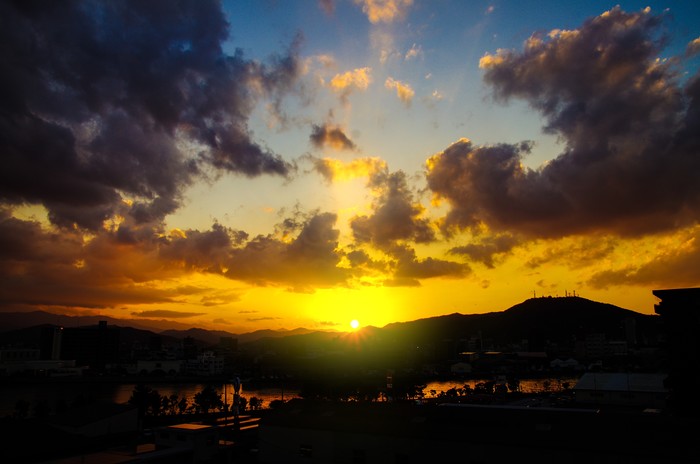
A simple glow around highlight areas.
| Inputs |
Description |
|---|
| Image |
Original image |
| Size |
Scale of the glow |
| Threshold |
Minimum brightness for a pixel to be used for this effect |
| Strength |
Intensity of the effect |
| Mask |
Mask out areas of the effect |
| Outputs |
Description |
|---|
| Image |
The resulting image |
| Flare |
The lens flare isolated on a black background |
Lens Reflexes
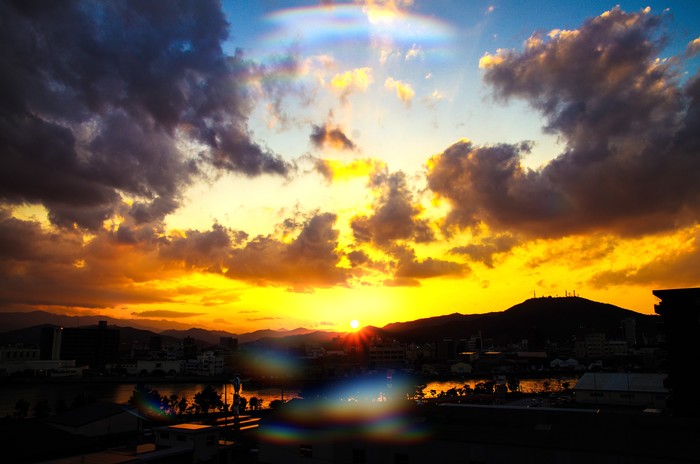
Simulates highlights being reflected inside the lenses.
| Inputs |
Description |
|---|
| Image |
Original image |
| Threshold |
Minimum brightness for a pixel to be used for this effect |
| Rotation |
Rotation of the reflexes |
| Blur |
Blurring the reflexes (recommended for realism) |
| Strength |
Intensity of the effect |
| Scale |
Size of reflexes |
| Green Channel Influence |
Intensity of Green channel reflexes |
| Blue Channel Influence |
Intensity of Blue channel reflexes |
| Channel Separation |
Distance between channels |
| Mask |
Mask out areas of the effect |
| Outputs |
Description |
|---|
| Image |
The resulting image |
| Flare |
The lens flare isolated on a black background |
Rays
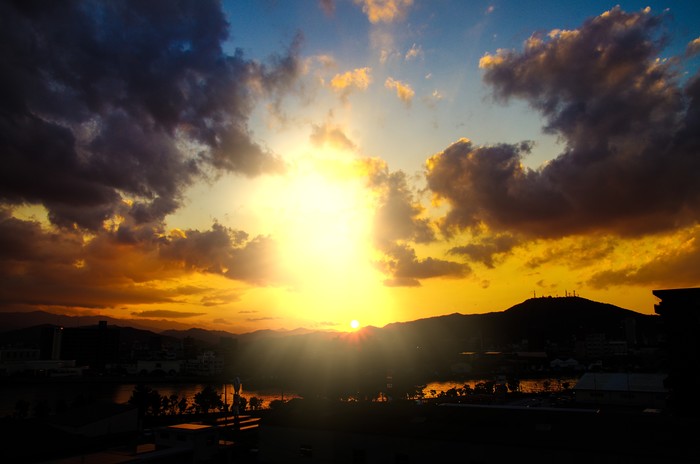
Simulates rays of light coming from highlights.
| Inputs |
Description |
|---|
| Image |
Original image |
| Color |
Colorization of rays (on top of image) |
| Strength |
Intensity of the effect |
| Position X |
Horizontal position of rays |
| Position Y |
Vertical position of rays |
| Width |
Width of rays (relative to image) |
| Height |
Height of rays (relative to image) |
| Blur |
Initial blur of rays |
| Mask |
Mask out areas of the effect |
| Outputs |
Description |
|---|
| Image |
The resulting image |
| Flare |
The lens flare isolated on a black background |
Circle Rainbow
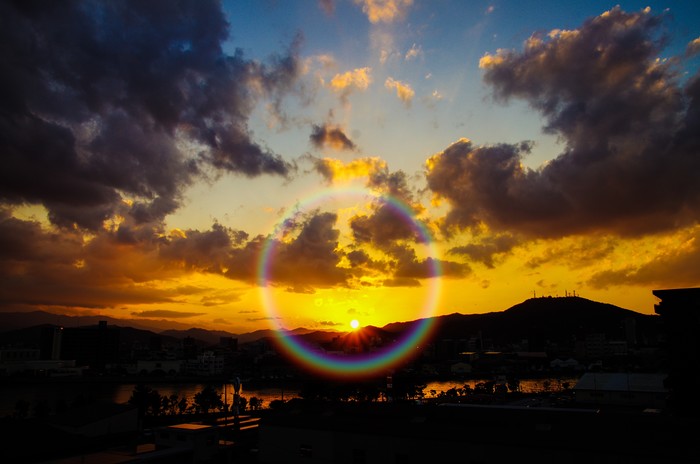
Simulates rainbows, also known as chroma hoops. They usually happen around a
strong light when it’s visible in the image.
| Inputs |
Description |
|---|
| Image |
Original image |
| Strength |
Intensity of the effect |
| Position X |
Horizontal position of rainbow circle |
| Position Y |
Vertical position of rainbow circle |
| Width |
Width of rainbow |
| Height |
Height of rainbow |
| Blur |
Final blurring |
| Mask |
Mask out areas of the effect |
| Outputs |
Description |
|---|
| Image |
The resulting image |
| Flare |
The lens flare isolated on a black background |
Simple Circle
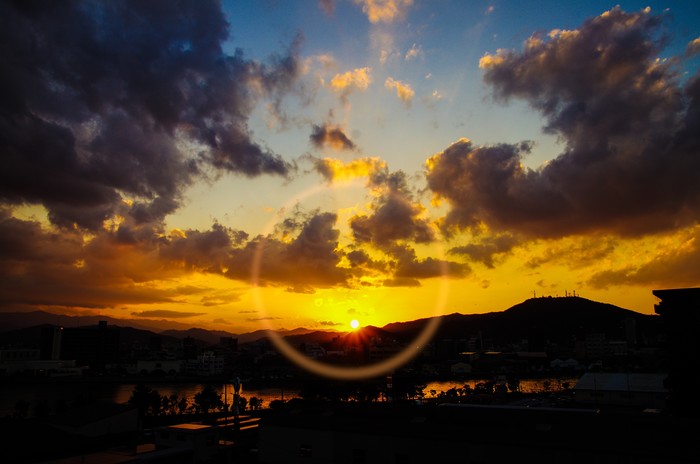
Simulates a simple glow ring.
| Inputs |
Description |
|---|
| Image |
Original image |
| Thickness |
Thickness of circle |
| Strength |
Intensity of the effect |
| Position X |
Horizontal position of circle |
| Position Y |
Vertical position of circle |
| Width |
Width of circle |
| Height |
Height of circle |
| Blur |
Final blurring |
| Mask |
Mask out areas of the effect |
| Outputs |
Description |
|---|
| Image |
The resulting image |
| Flare |
The lens flare isolated on a black background |
Streaks
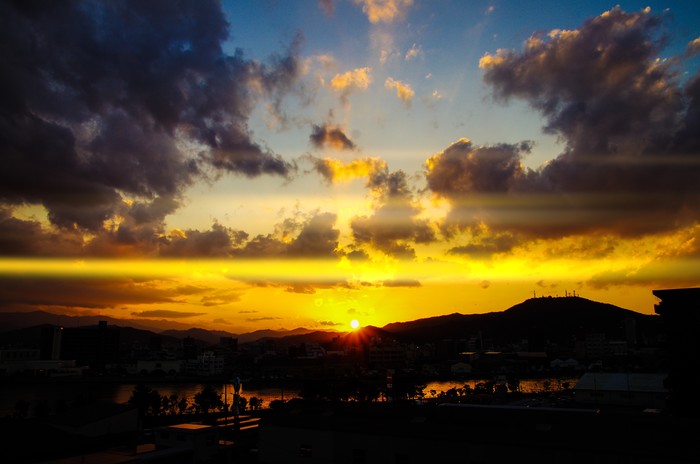
Simulates anamorphic light streaks (as generated by film cameras).
| Inputs |
Description |
|---|
| Image |
Original image |
| Colorization |
Apply a color to streaks |
| Strength |
Intensity of the effect |
| Threshold |
Minimum brightness for a pixel to be used for this effect |
| Color Influence |
Intensity of colorization (0 uses image colors) |
| Rotation |
Rotation of the streaks |
| Position X |
Horizontal position of streaks |
| Position Y |
Vertical position of streaks |
| Width |
Width of the streaks |
| Height |
Height of the streaks |
| Blur |
Final blurring of the streaks |
| Mask |
Mask out areas of the effect |
| Outputs |
Description |
|---|
| Image |
The resulting image |
| Flare |
The lens flare isolated on a black background |
Chromas in Lens
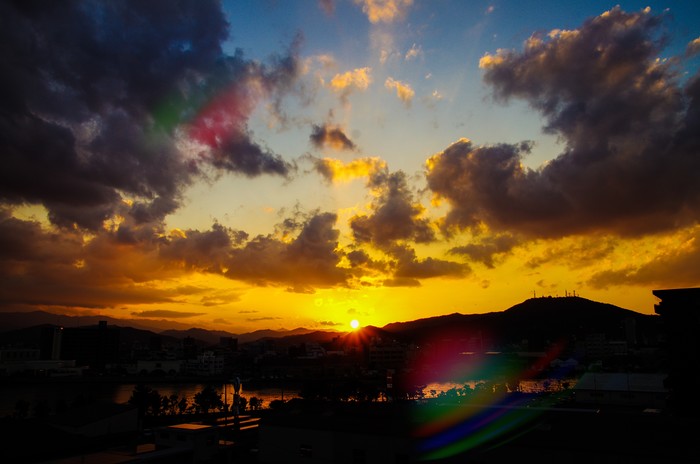
Simulates highlights being dispersed as they hit the lenses.
| Inputs |
Description |
|---|
| Image |
Original image |
| Strength |
Intensity of the effect |
| Threshold |
Minimum brightness for a pixel to be used for this effect |
| Rotation |
Rotation of chromas |
| Scale |
Scaling of chromas (relative to image) |
| Lens Distortion |
Amount of “roundness” to the chromas |
| Blur |
Final blurring of chromas |
| Mask |
Mask out areas of the effect |
| Outputs |
Description |
|---|
| Image |
The resulting image |
| Flare |
The lens flare isolated on a black background |
Presets
These nodes are built on the previous toolkit nodes. They are meant
to be an example of how to use the toolkit nodes together. You can use
these nodes as they are, but you will often find it more flexible to
use the toolkit nodes directly in your compositions.
Simple
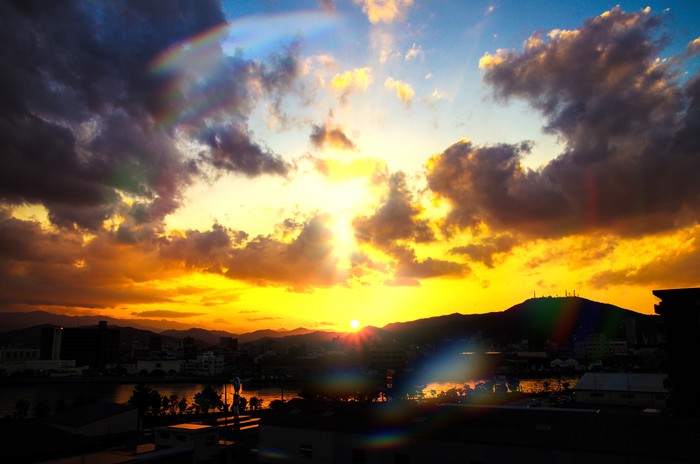
A simple lens flare including light rays, lens reflexes and chromas in lens.
| Inputs |
Description |
|---|
| Image |
Original image |
| Threshold |
Minimum brightness for a pixel to be used for this effect |
| Rays - Strength |
Intensity of rays |
| Rays - Position X |
Horizontal position of rays |
| Rays - Position Y |
Vertical position of rays |
| Reflexes - Strength |
Intensity of lens reflexes |
| Reflexes - Rotation |
Rotation of lens reflexes |
| Chroma Reflexes - Strength |
Intensity of chroma reflexes |
| Mask |
Mask out areas of the effect |
| Outputs |
Description |
|---|
| Image |
The resulting image |
Colored with Streaks
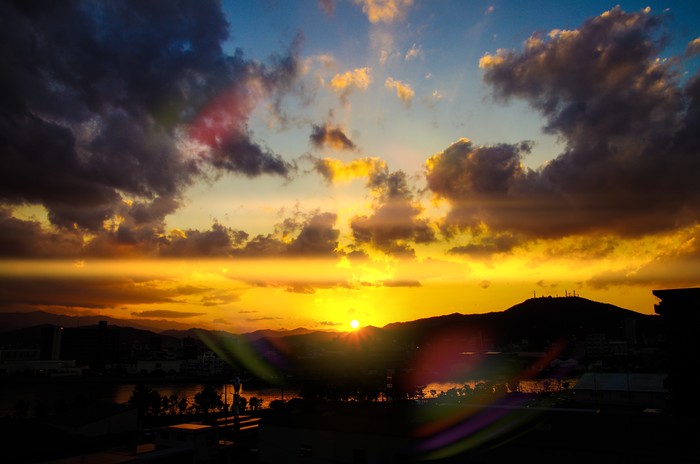
A more fantasy oriented lens flare. Includes chromas in lens, basic glow and streaks.
| Inputs |
Description |
|---|
| Image |
Original image |
| Color |
Colorization |
| Color Influence |
Intensity of colorization (0 uses image colors) |
| Strength |
Intensity of the effect |
| Threshold |
Minimum brightness for a pixel to be used for this effect |
| Streaks - Position X |
Horizontal position of streaks |
| Streaks - Position Y |
Vertical position of streaks |
| Streaks - Length |
Width of streaks |
| Chromas In Lens - Strength |
Intensity of chroma reflexes |
| Glow - Strength |
Intensity of base glow |
| Glow - Size |
Scale of base glow |
| Mask |
Mask out areas of the effect |
| Outputs |
Description |
|---|
| Image |
The resulting image |
Circles & Streaks
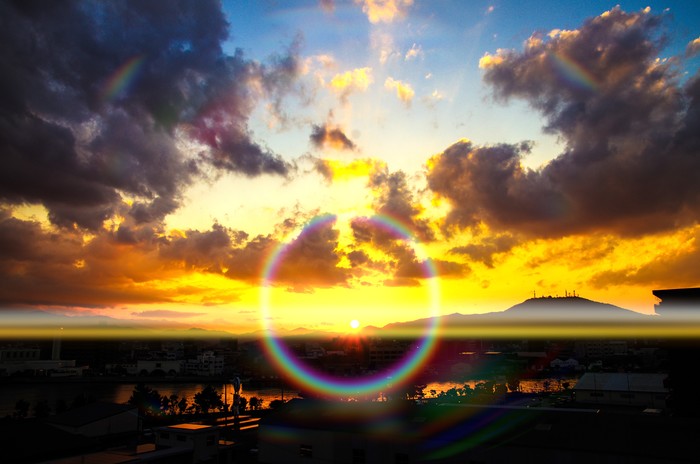
A more complete lens flare. Looks best when there’s one strong light source,
fully visible in the image. Includes Chromas in Lens, Circle Rainbow, Lens
Reflexes and Streaks.
| Inputs |
Description |
|---|
| Image |
Original image |
| Threshold |
Minimum brightness for a pixel to be used for this effect |
| Chromas - Strength |
Intensity of chroma reflexes |
| Rainbow - Strength |
Intensity of rainbow circles |
| Reflexes - Strength |
Intensity of lens reflexes |
| Streaks - Strength |
Intensity of streaks |
| Streaks - Position X |
Horizontal position of streaks |
| Streaks - Position Y |
Vertical position of streaks |
| Streaks - Rotation |
Rotation of streaks |
| Rainbow - Position X |
Horizontal position of rainbow circle |
| Rainbow - Position Y |
Vertical position of rainbow circle |
| Mask |
Mask out areas of the effect |
| Outputs |
Description |
|---|
| Image |
The resulting image |
Color Streaks
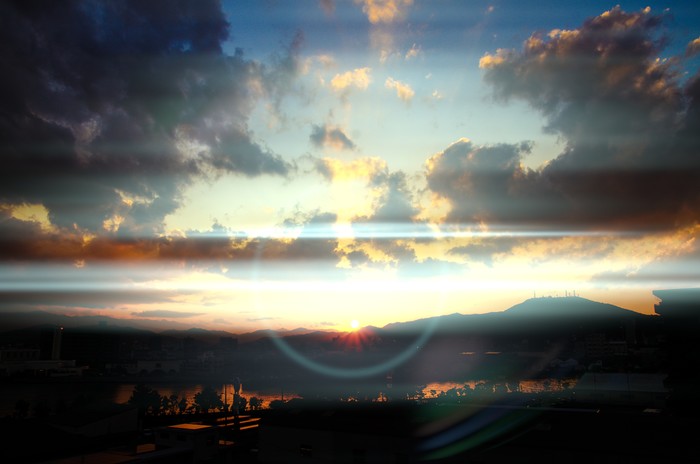
A more sci-fi oriented lens flare. Includes Chromas in Lens, Circle Simple and
streaks.
| Inputs |
Description |
|---|
| Image |
Original image |
| Center - Circle Color |
Color for circle center |
| Colorization |
Color to tint flare |
| Position |
Position of streaks (in Y) |
| Rotation |
Rotation of streaks and circle |
| Mask |
Mask out areas of the effect |
| Outputs |
Description |
|---|
| Image |
The resulting image |
Large Rainbow with Streaks
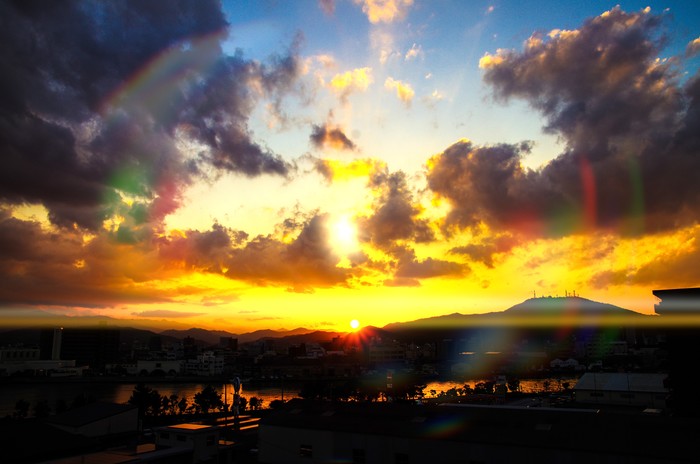
A more realistic lens flare. Looks best when there’s a strong light source visible
in the image. Includes Chromas in Lens, Lens Reflexes, Rays, Circle Rainbow and
Streaks.
| Inputs |
Description |
|---|
| Image |
Original image |
| Threshold |
Minimum brightness for a pixel to be used for this effect |
| Rainbow - Scale |
Scale of rainbow circles |
| Rainbow - Strength |
Intensity of rainbow circles |
| Rays - Color |
Color of rays |
| Rays - Scale |
Size of rays |
| Rays - Strength |
Intensity of rainbow circles |
| Chromas - Strength |
Intensity of chroma reflexes |
| Chromas - Scale |
Size of chroma reflexes |
| Reflexes - Strength |
Intensity of lens reflexes |
| Streaks - Strength |
Intensity of streaks |
| Streaks - Position Y |
Vertical position of streaks |
| Streaks - Color |
Color of streaks |
| Streaks - Height |
Height of streaks |
| Streaks - Rotation |
Rotation of streaks |
| Mask |
Mask out areas of the effect |
| Outputs |
Description |
|---|
| Image |
The resulting image |