Effects
This group contains nodes that change the original image significantly
simulating screens or artistic effects.
Old TV
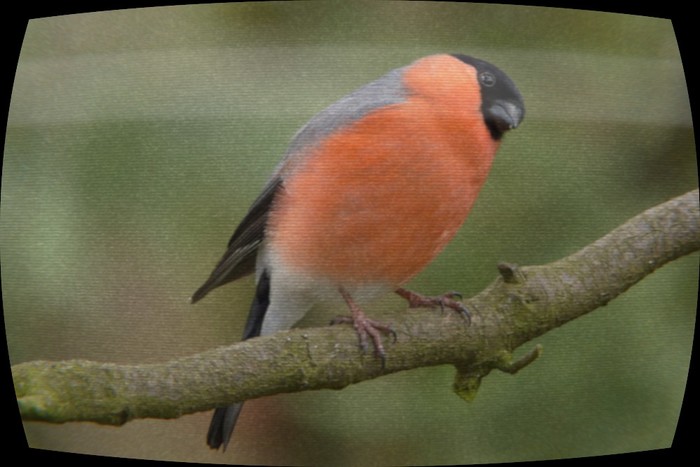
Simulates the look of an old tube TV.
| Inputs |
Description |
|---|
| Image |
Original image |
| Scanlines intensity |
Opacity of CRT scanlines |
| Blurriness |
How much blur to use (simulates lower definition) |
| Gamma |
Final gamma adjustment |
| Film Grain |
Intensity of film grain |
| Vertical scan position |
Position (in Y) of vertical scan |
| Screen roundness |
Simulate a classic round tube screen |
| Chromatic Aberration |
Amount of color dispersion near the borders |
| Mask |
Mask out areas of the effect |
| Outputs |
Description |
|---|
| Image |
The resulting image |
Very Old TV
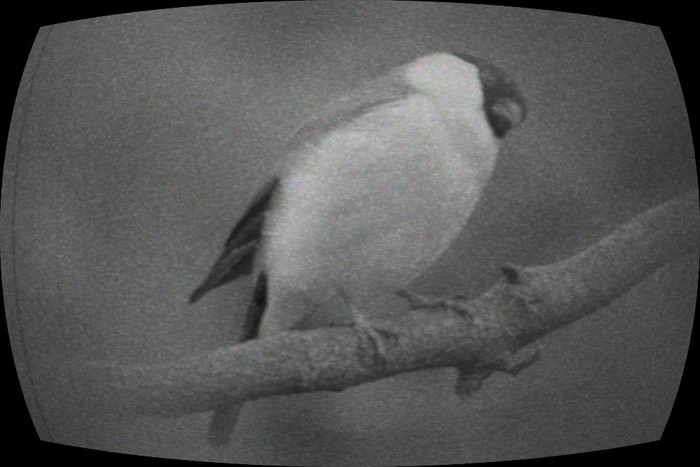
Simulates an old black & white TV. Includes two animateable film scratches.
| Inputs |
Description |
|---|
| Image |
Original image |
| Blur |
How much blur to use (simulates lower definition) |
| Peripheral Blur |
Blur near the sides of the screen |
| Gamma |
Final gamma adjustment |
| TV Roundness |
Simulate a classic round tube screen |
| Vignette Width |
Width of the vignette effect |
| Vignette Height |
Height of the vignette effect |
| Scratch 1 Position |
Position of first film scratch |
| Scratch 2 Position |
Position of second film scratch |
| Mask |
Mask out areas of the effect |
| Outputs |
Description |
|---|
| Image |
The resulting image |
Sepia
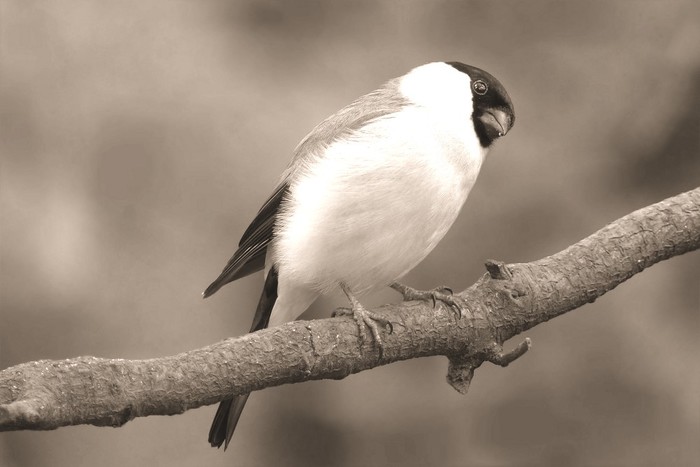
Applies a sepia effect.
| Inputs |
Description |
|---|
| Image |
Original image |
| Replace Color |
How much of the original colors is left |
| Saturation |
Saturation boost |
| Light |
Pump the lights |
| Tweak Hue |
Modify the sepia hue |
| Contrast |
Contrast boost |
| Mask |
Mask out areas of the effect |
| Outputs |
Description |
|---|
| Image |
The resulting image |
Cartoonize
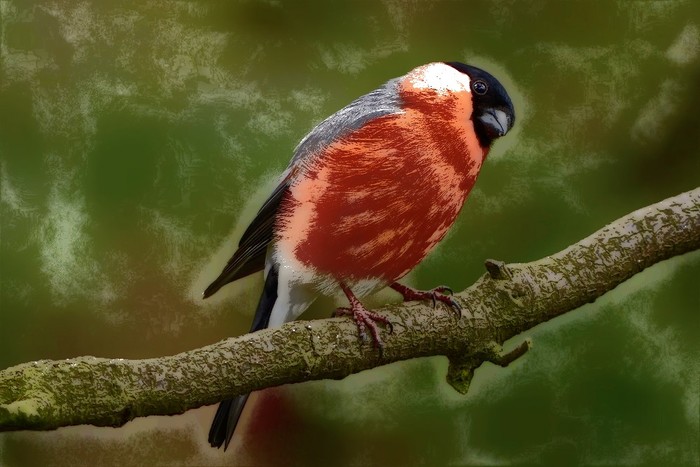
Applies a cartoon effect.
| Inputs |
Description |
|---|
| Image |
Original image |
| Outline Value |
Brightness of outline |
| Outline Saturation |
Saturation of outline |
| Outline Density |
Thickness of outline |
| Outline Roughness |
Use more or less blur to calculate outline |
| Outline Color Overlay |
Color to apply to outline |
| Outline Color Influence |
Strength of colorization |
| Soften Colors |
Soften colors to simulate hand-drawn medium |
| Posterize Colors |
Posterize to simulate cel-shading like colors |
| Highlights intensity |
Strength of highlights |
| Mask |
Mask out areas of the effect |
| Outputs |
Description |
|---|
| Image |
The resulting image |
Drop Shadow
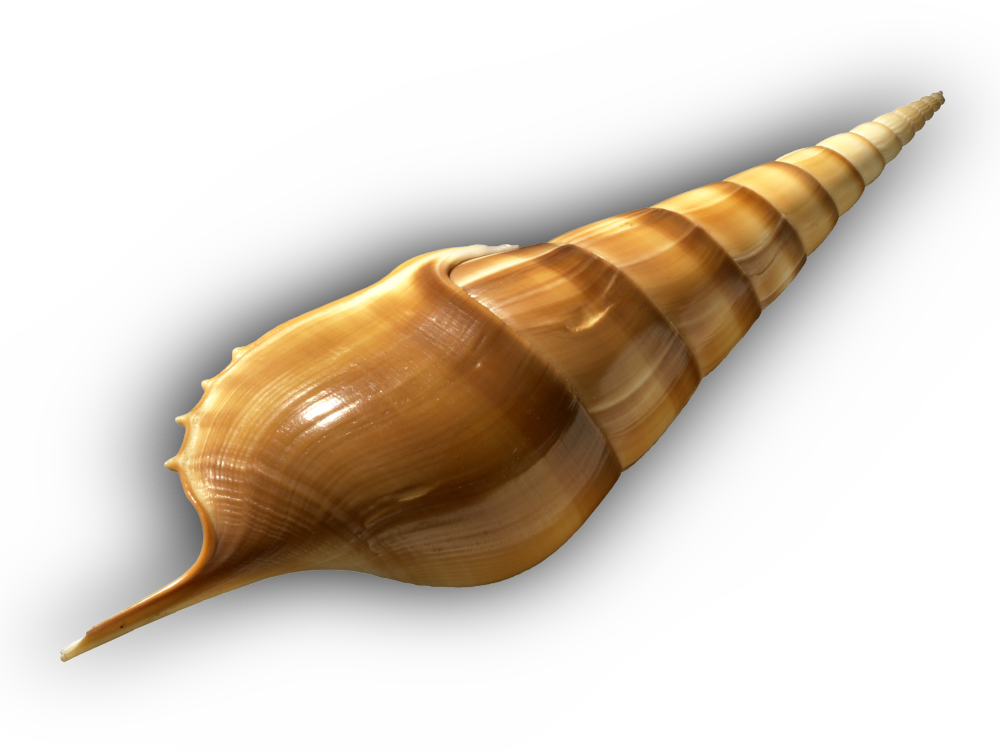
Adds a shadow below the image. Requires an alpha channel.
If your image (or whatever you are connecting) doesn’t have an alpha socket, you
can use the “Separate RGBA” node to get the alpha.
| Inputs |
Description |
|---|
| Image |
Original image |
| Alpha |
Alpha to use when generating the shadow |
| Color |
Color of the shadow |
| Width |
Width of the shadow |
| Height |
Height of the shadow |
| Offset X |
X Position of the shadow (away from image center) |
| Offset Y |
Y Position of the shadow (away from image center) |
| Blur |
How blurry is the shadow |
| Opacity |
Transparency of the shadow |
| Mask |
Mask out areas of the effect |
| Outputs |
Description |
|---|
| Image |
The resulting image |
Light Sweep
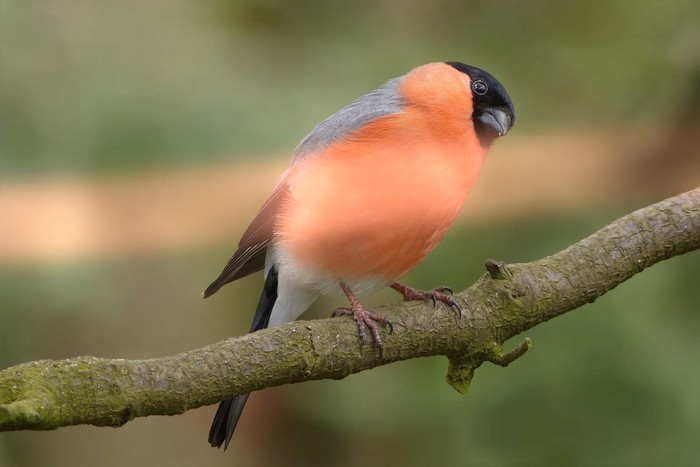
Simulates a linear light sweeping effect
| Inputs |
Description |
|---|
| Image |
Original image |
| Color |
Color of the sweep |
| X |
Horizontal position |
| Y |
Vertical position |
| Angle |
Rotation of the sweep |
| Scale |
Scale of the sweep |
| Blur |
Soften the sweep |
| Opacity |
Opacity of the sweep |
| Mask |
Mask out areas of the effect |
| Outputs |
Description |
|---|
| Image |
The resulting image |
| Mask |
Mask of the sweep |
Vertical Scan
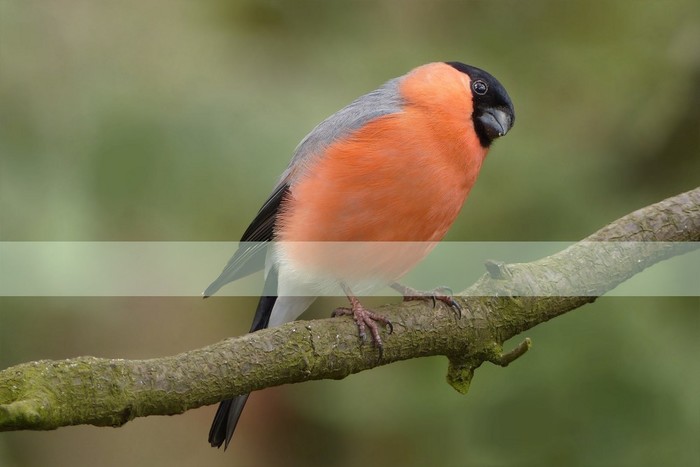
Adds a vsync scanline, similar to the effect when shooting a computer screen
with a number of frames per second lower than the screen’s refresh rate.
| Inputs |
Description |
|---|
| Scale |
Height of vertical scan |
| Position |
Position (in Y) |
| Opacity |
Opacity of scan |
| Mask |
Mask out areas of the effect |
| Outputs |
Description |
|---|
| Image |
The resulting image |
| Mask |
Mask of the scan |
Simple Film Grain
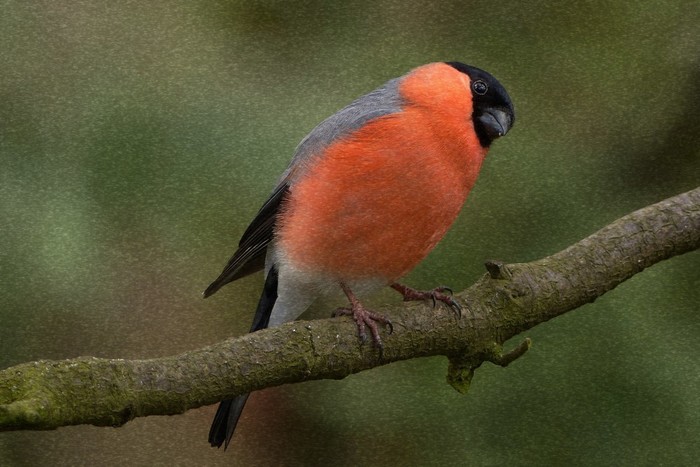
Simulates film grain.
| Inputs |
Description |
|---|
| Image |
Original image |
| Coarse Grain |
Intensity of larger, base grain |
| Fine Grain |
Intensity of smaller, detail grain |
| Scale |
Scale of the grain |
| Grain Blur |
Blurriness of the grain |
| Offset |
Offset position. Useful to animate. |
| Mask |
Mask out areas of the effect |
| Outputs |
Description |
|---|
| Image |
The resulting image |
Vignette
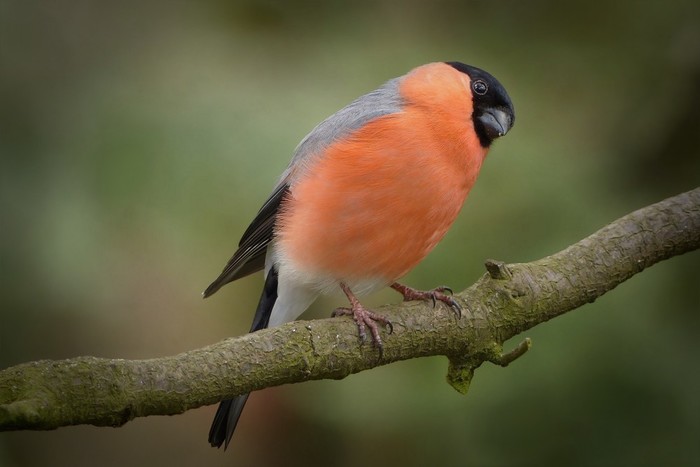
Adds a vignette effect.
| Inputs |
Description |
|---|
| Image |
Original image |
| Blur |
Soften vignette edges |
| Center X |
X position of the vignette |
| Center Y |
Y position of the vignette |
| Width |
Width of the effect |
| Height |
Height of the effect |
| Opacity |
Vignette opacity |
| Mask |
Mask out areas of the effect |
| Outputs |
Description |
|---|
| Image |
The resulting image |
Vignette Blur
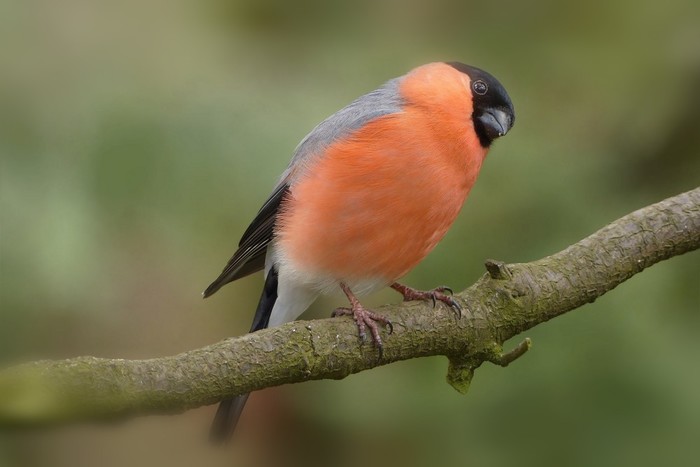
Applies a vignette effect, but instead of darkening around the image it blurs.
It can be used to suggest a fantasy environment, a smaller scale or a special
kind of vision. It can also be used for a tilt shift effect by plugging in a mask.
| Inputs |
Description |
|---|
| Image |
Original image |
| Strength |
Opacity of the blur effect |
| Image Blur |
Blur of the original image |
| Vignette Blur |
Blur of the vignette mask |
| Width |
Width of the vignette |
| Height |
Height of the vignette |
| Position X |
Horizontal position of the vignette |
| Position Y |
Vertical position of the vignette |
| Mask |
Mask out areas of the effect |
| Outputs |
Description |
|---|
| Image |
The resulting image |
CRT Scanlines
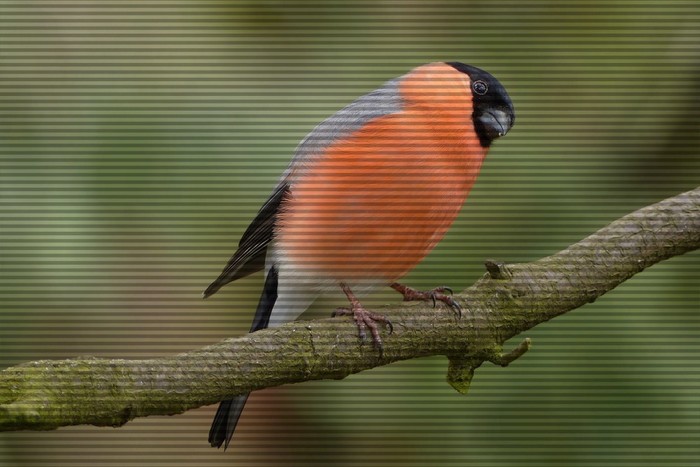
Simulates scanlines like those found in old CRT monitors/tube TVs
| Inputs |
Description |
|---|
| Image |
Original image |
| Opacity |
Opacity of the scanlines |
| Color |
Color of the scanlines |
| Scale |
Size of the scanlines |
| Mask |
Mask out areas of the effect |
| Outputs |
Description |
|---|
| Image |
The resulting image |
Posterize
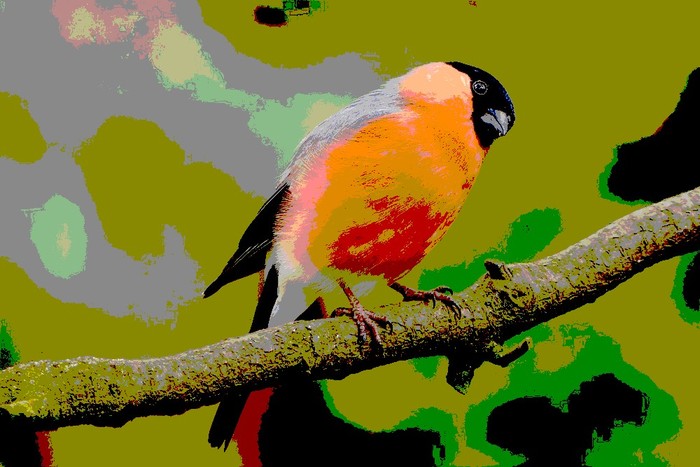
Converts continuous gradation of tone into several regions of fewer tones.
| Inputs |
Description |
|---|
| Image |
Original image |
| Levels |
Regions to separate gradation into |
| Alpha Level |
Levels for the alpha channel |
| Mask |
Mask out areas of the effect |
| Outputs |
Description |
|---|
| Image |
The resulting image |
Infrared
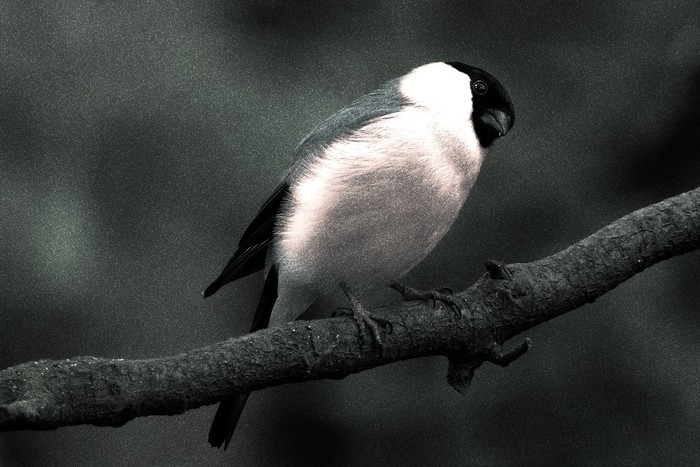
Simulates infrared vision. It uses the color data in the image to figure out
infrared radiation. The results are not hyper realistic since it’s based
on the color data but they are fairly accurate.
For more information on Infrared vision, check Wikipedia
| Inputs |
Description |
|---|
| Image |
Original image |
| Hue Shift |
How much of the hue to shift in the image |
| Color Wash |
Adds a tint of color |
| Colorization |
Adds color from the original image |
| Noise |
Add extra noise for realism |
| Gamma |
Final gamma adjustment |
| Gloom |
Gloom effect (adds blur) |
| Mask |
Mask out areas of the effect |
| Outputs |
Description |
|---|
| Image |
The resulting image |
Thermal Vision
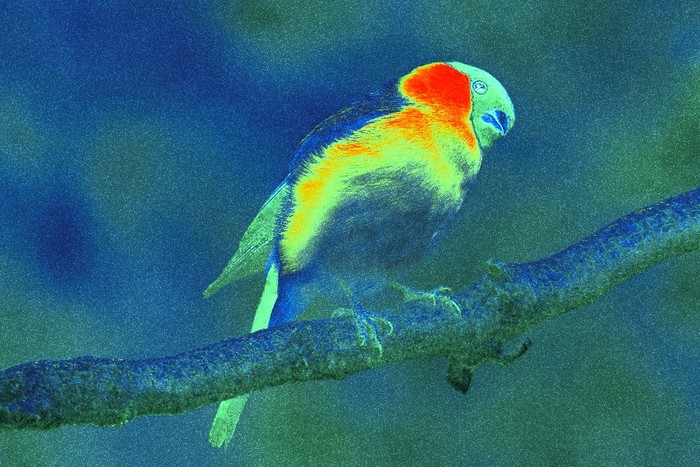
Simulates Thermal Imagining, sometimes called “Predator vision” too. Thermal
vision allows too see the differences in Infrared radiation. Since hotter objects
emit more infrared than cooler, it’s possible to see the variation in temperature
this way. This node will push reds to show more temperature than blues and greens.
You can read more about Thermal Vision on Wikipedia
| Inputs |
Description |
|---|
| Image |
Original image |
| Noise |
Add noise to the final image (more realistic) |
| Mask |
Mask out areas of the effect |
| Outputs |
Description |
|---|
| Image |
The resulting image |
Ink
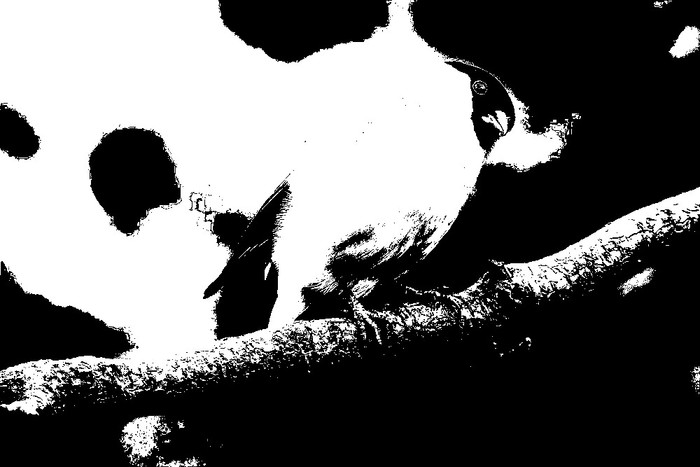
Simulates an ink drawing from the image. All color is discarded.
| Inputs |
Description |
|---|
| Image |
Original image |
| Sensitivity |
How much of the image to use |
| Blur |
Amount of initial blur to use (can bring more details) |
| Mask |
Mask out areas of the effect |
| Outputs |
Description |
|---|
| Image |
The resulting image (Black and white) |
Charcoal
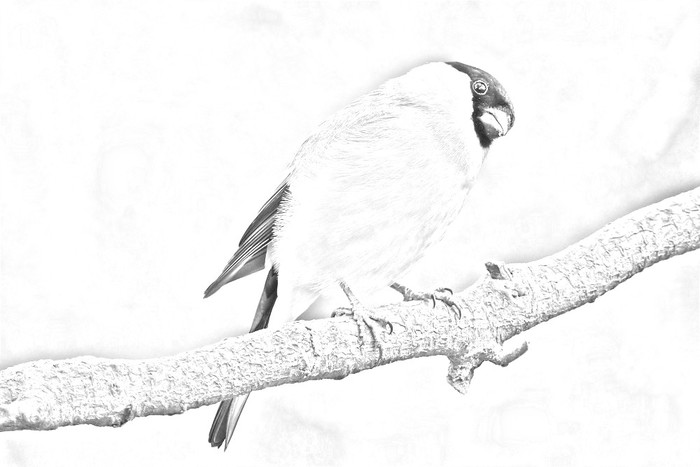
Simulates a charcoal line drawing. Some shading can be included by increasing
the blur setting.
| Inputs |
Description |
|---|
| Image |
Original image |
| Background |
Background color of charcoal |
| Strength |
Intensity of the effect |
| Blur |
Amount of detail to include |
| Mask |
Mask out areas of the effect |
| Outputs |
Description |
|---|
| Image |
The resulting image |
Chalkboard
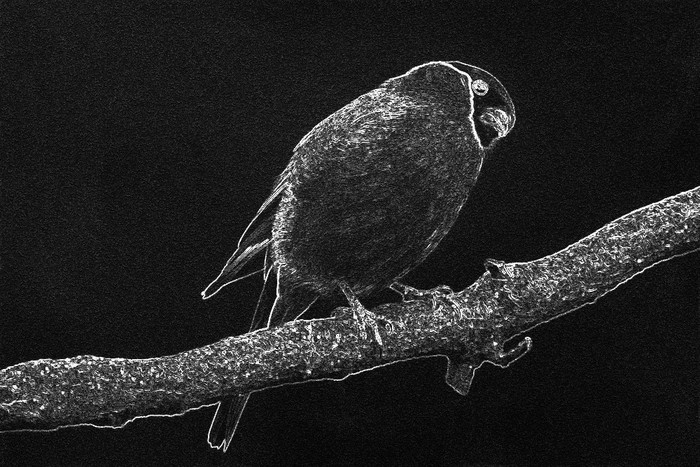
Simulates a chalk line drawing on a chalkboard.
Works best with images with a clear distinction between foreground and background.
| Inputs |
Description |
|---|
| Image |
Original image |
| Color |
Background color |
| Contrast |
Contrast boost |
| 3D Effect |
Adds a shadow under lines |
| Noise |
Chalkboard texture noise |
| Mask |
Mask out areas of the effect |
| Outputs |
Description |
|---|
| Image |
The resulting image |
Comic Outline
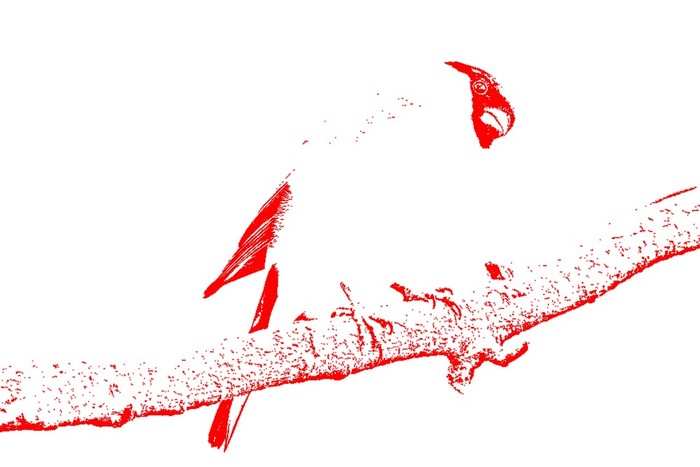
Creates a simple outline from the image.
Works best with images with a clear distinction between foreground and background.
| Inputs |
Description |
|---|
| Image |
Original image |
| Initial Blur |
Amount of blur to use when finding outline |
| Line Color |
Outline color |
| Background Color |
Color for the background |
| Mask |
Mask out areas of the effect |
| Outputs |
Description |
|---|
| Image |
The resulting image |
Psychedelic
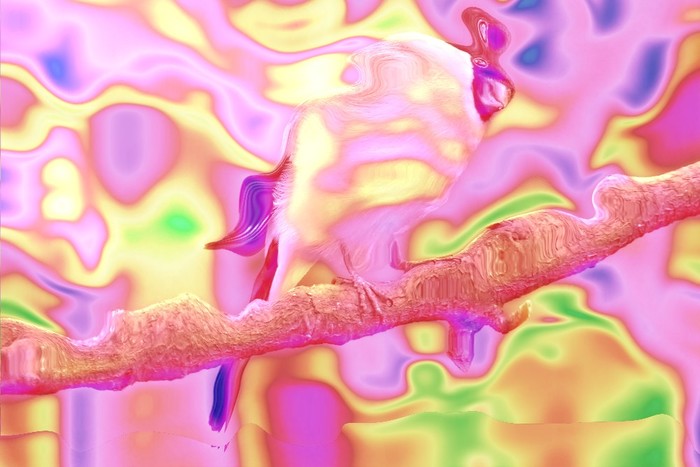
Applies a distorted coloring (hue shift) as well as a distortion over the image.
| Inputs |
Description |
|---|
| Image |
Original image |
| Hue |
Base hue for the effect |
| Distortion |
Amount of distortion |
| Mask |
Mask out areas of the effect |
| Outputs |
Description |
|---|
| Image |
The resulting image |