Looks
This group contains nodes that affect the colors and mood of the image.
Tech Blue-Green
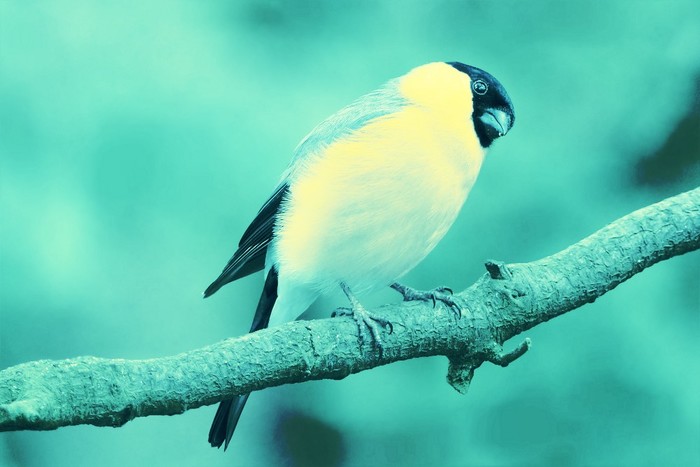
Applies sci-fi looking palette with high contrast.
| Inputs |
Description |
|---|
| Image |
Source Image |
| Desaturate |
Replace the original colors with the effect’s colors |
| Base Effect |
Strength of the color effect |
| Contrast |
Contrast boost |
| Mask |
Mask out areas of the effect |
| Outputs |
Description |
|---|
| Image |
The resulting image |
Brown FPS
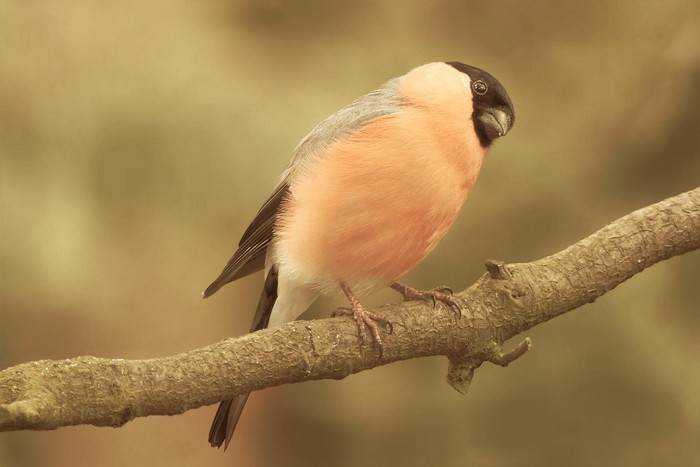
Shifts colors to brown (by default).
| Inputs |
Description |
|---|
| Image |
Source Image |
| Base Effect |
Intensity of the effect |
| Desaturate |
Replace the original colors with the effect’s colors |
| Contrast |
Contrast Boost |
| Tint |
Color(s) to apply |
| Mask |
Mask out areas of the effect |
| Outputs |
Description |
|---|
| Image |
The resulting image |
Action Green
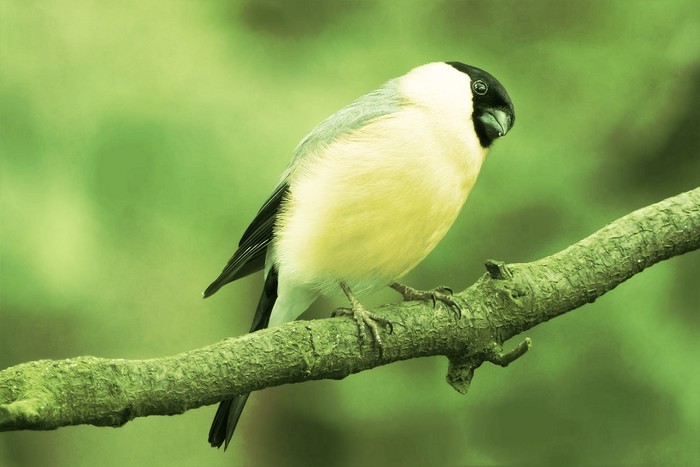
A green, action-movie style pallet.
| Inputs |
Description |
|---|
| Image |
Source Image |
| Desaturate |
Replace the original colors with the effect’s colors |
| Contrast |
Contrast boost |
| Base Effect |
Intensity of the effect |
| Mask |
Mask out areas of the effect |
| Outputs |
Description |
|---|
| Image |
The resulting image |
Warm Dreams
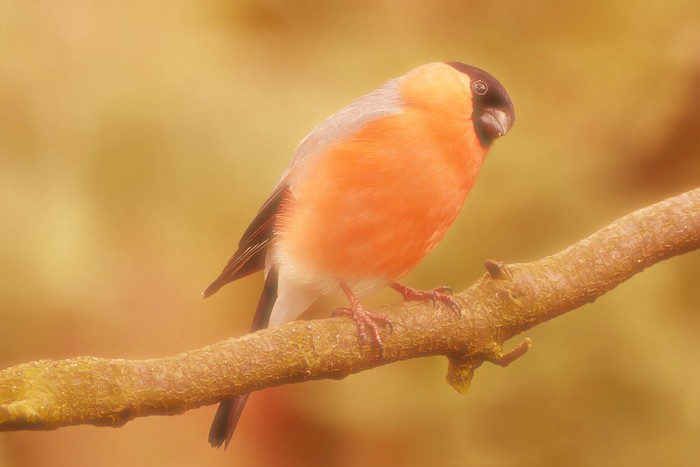
A Gloomy, dreamy effect.
| Inputs |
Description |
|---|
| Image |
Source Image |
| Gloom Tint |
Color of the gloom |
| Gloom Size: |
Size of gloom effect |
| Gloom Intensity |
Intensity of gloom |
| Base Effect |
Intensity of the effect |
| Mask |
Mask out areas of the effect |
| Outputs |
Description |
|---|
| Image |
The resulting image |
Chill
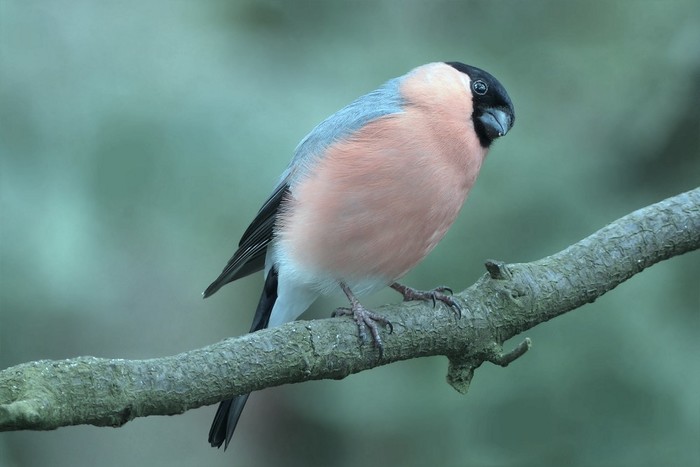
Tint the image with blue, cold colors.
| Inputs |
Description |
|---|
| Image |
Source Image |
| Base Color |
Base color for the effect |
| Secondary Color |
Color to apply on blue-green range |
| Mask |
Mask out areas of the effect |
| Outputs |
Description |
|---|
| Image |
The resulting image |
Psychedelic Colors
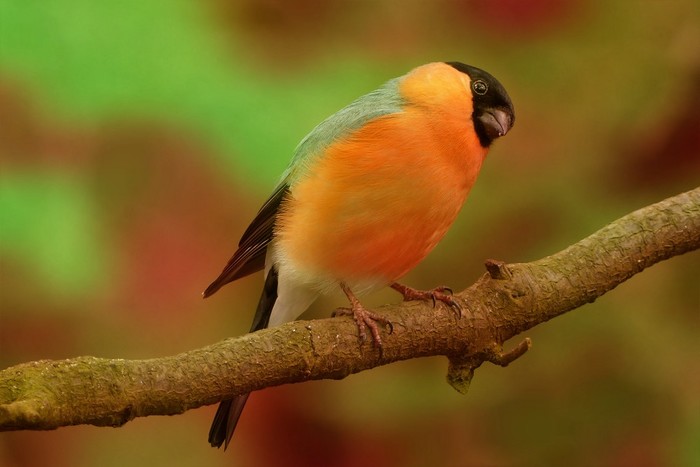
Tint the image with distorted colors.
| Inputs |
Description |
|---|
| Image |
Source Image |
| Blur |
Blur to apply on coloring distortion |
| Intensity |
Strength of the effect |
| Mask |
Mask out areas of the effect |
| Outputs |
Description |
|---|
| Image |
The resulting image |
Horror
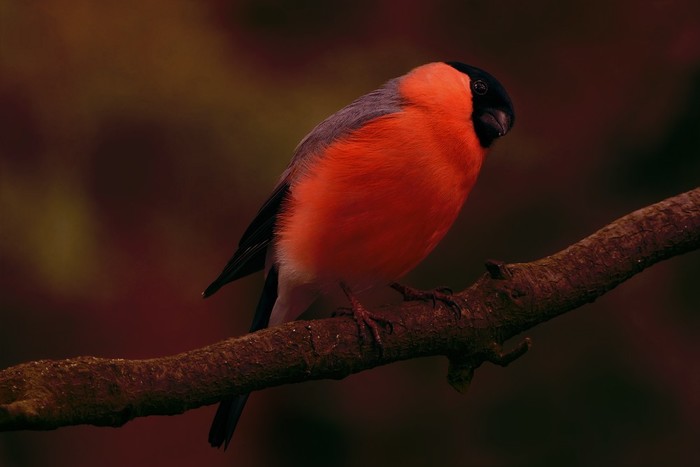
A dark, gloomy look. Perfect for terror and horror scenes.
| Inputs |
Description |
|---|
| Image |
Source Image |
| Under Color |
Base color for the effect |
| Under Color Influence |
Intensity of base color |
| Main Color |
Main tint |
| Main Color Influence |
Intensity of the main tint |
| Gamma |
Final gamma adjustment |
| Darkening |
Initial darkening and desaturation |
| Mask |
Mask out areas of the effect |
| Outputs |
Description |
|---|
| Image |
The resulting image |
Sunset
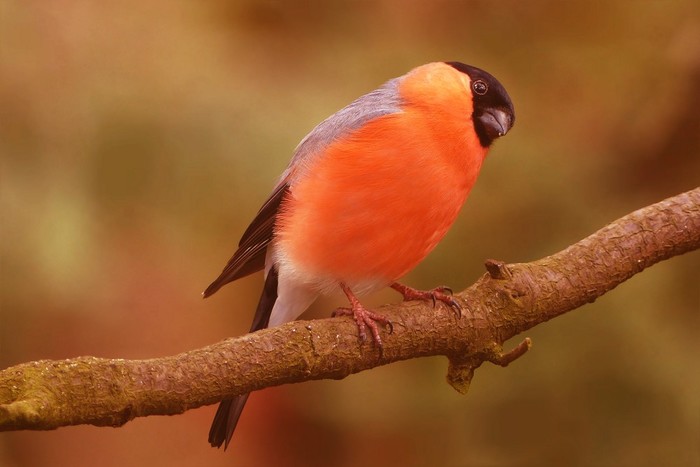
A sunset mood with warm orange colors and strong contrast.
| Inputs |
Description |
|---|
| Image |
Source Image |
| Tone |
Main tinting color(s) |
| Contrast |
Contrast control |
| Mask |
Mask out areas of the effect |
| Outputs |
Description |
|---|
| Image |
The resulting image |
Classic Teal
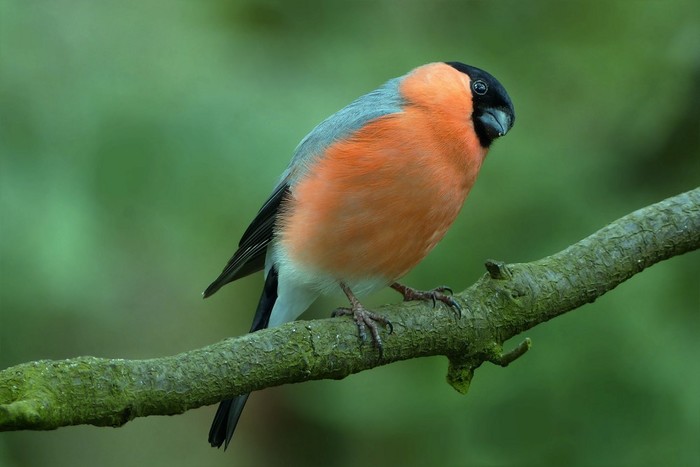
Simulates the classic Teal look from Hollywood movies. This look leaves reds
unaffected, so you can keep the reds and oranges to complete the look.
| Inputs |
Description |
|---|
| Image |
Source Image |
| Strength |
Intensity of the effect |
| Gamma |
Final gamma adjustment |
| Mask |
Mask out areas of the effect |
| Outputs |
Description |
|---|
| Image |
The resulting image |
Mysterious Green
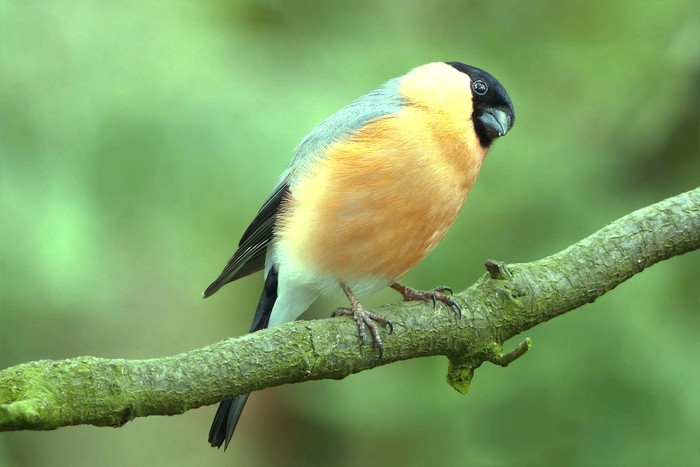
An eerie, light mood. Fit for exploration scenes.
| Inputs |
Description |
|---|
| Image |
Source Image |
| Strength |
Intensity of the effect |
| Gamma |
Final gamma adjustment |
| Mask |
Mask out areas of the effect |
| Outputs |
Description |
|---|
| Image |
The resulting image |
Purple Haze
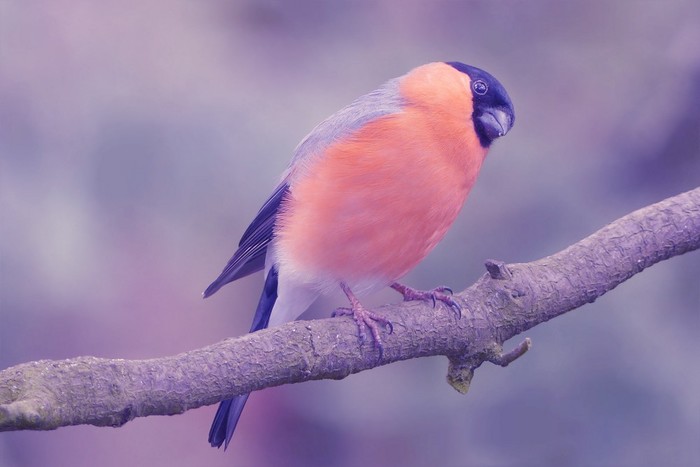
A purple wash over the image. Gives a strange but soft mood.
| Inputs |
Description |
|---|
| Image |
Source Image |
| Strength |
Intensity of the effect |
| Gamma |
Final gamma adjustment |
| Mask |
Mask out areas of the effect |
| Outputs |
Description |
|---|
| Image |
The resulting image |
90s Burn
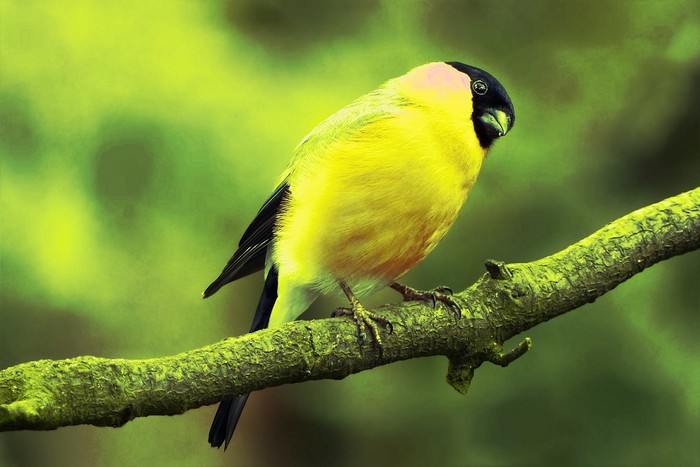
Classic 90s burnt look using a single base tone.
| Inputs |
Description |
|---|
| Image |
Source Image |
| Intensity |
Strength of the effect |
| Base Color |
Main color for the effect |
| Blur |
Colorization blurring |
| Mask |
Mask out areas of the effect |
| Outputs |
Description |
|---|
| Image |
The resulting image |
90s Burn (Grunge)
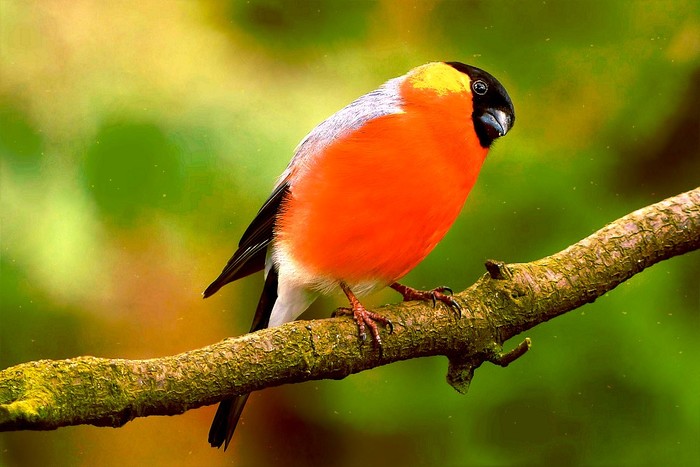
A 90s burnt look with two base tones and some extra grit from sharpening.
| Inputs |
Description |
|---|
| Image |
Source Image |
| Base Color |
Main color for the effect |
| Complimentary Color |
Color applied based on a mask for extra contrast |
| Brightness |
Brightness boost |
| Contrast |
Contrast boost |
| Sharpening |
Initial Sharpening |
| Mask |
Mask out areas of the effect |
| Outputs |
Description |
|---|
| Image |
The resulting image |
Vintage 1
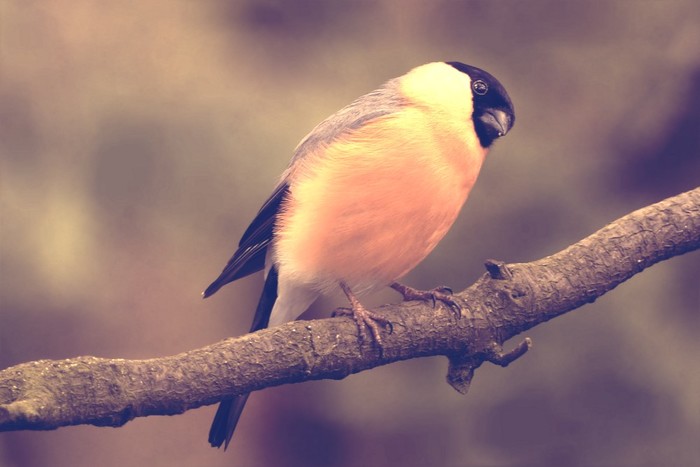
Color images using a vintage effect
| Inputs |
Description |
|---|
| Image |
Source Image |
| Color 1 |
First color to mix |
| Color 2 |
Second color to mix |
| Desaturate |
Desaturation of the source image |
| Color 1 Fac |
Influence of the first color |
| Color 2 Fac |
Influence of the second color |
| Color Mix |
Balance between both colors |
| Blur |
Blurriness for extra realism |
| Mask |
Mask out areas of the effect |
| Outputs |
Description |
|---|
| Image |
The resulting image |
Vintage 2
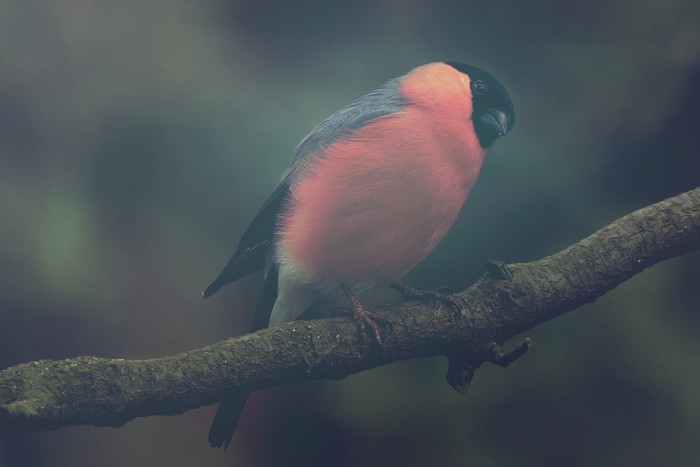
Color using a vintage effect with some blurring
Note that this node can be quite resource-intensive. Use caution when working
with 4K or higher.
| Inputs |
Description |
|---|
| Image |
Source Image |
| Initial Blur |
Amount of blur to apply when coloring |
| Base hue Shift |
Hue to shift to initially |
| Hue Shift Influence |
Intensity and saturation of the hue shift |
| Color Shift |
Color to shift the basic hue to |
| Color Shift Influence |
Influence of the color shift |
| Contrast |
Contrast boost |
| Gamma |
Final gamma adjustment |
| Mask |
Mask out areas of the effect |
| Outputs |
Description |
|---|
| Image |
The resulting image |
Vintage 3
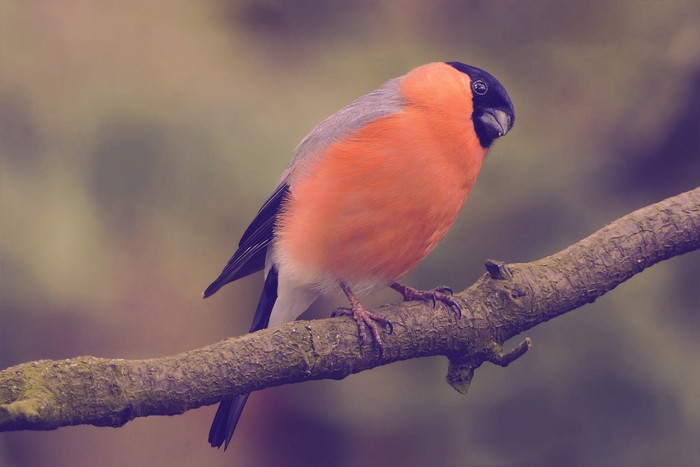
Colors using a vintage effect based on 3 colors
| Inputs |
Description |
|---|
| Image |
Source Image |
| Base Color |
First color to apply |
| Light Color |
Color to apply on light values |
| Dark Color |
Color to apply on darker values |
| Gamma |
Final gamma adjustment |
| Light Intensity |
Intensity of light color |
| Dark Intensity |
Intensity of dark color |
| Mask |
Mask out areas of the effect |
| Outputs |
Description |
|---|
| Image |
The resulting image |
Light Leaks
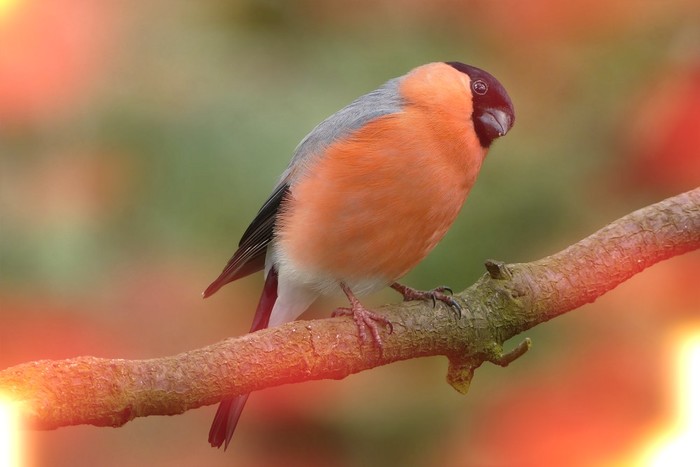
Simulates leaking of lights into the picture as it would happen in a camera.
Leaves the center clear of lights.
Animate the offset property to make the lights move.
| Inputs |
Description |
|---|
| Image |
Source Image |
| Offset |
Position of the light leaks |
| Scale |
Scale of the lights |
| Clear Center width |
Width of area not affected by lights |
| Clear Center height |
Height of area not affected by lights |
| Clear Center blur |
Blur of area not affected by lights |
| Leaks blur |
Blur of light leaks |
| Leaks color |
Color of the lights |
| Leaks core color |
Inner color of the lights |
| Opacity |
Maximum opacity of lights |
| Mask |
Mask out areas of the effect |
| Outputs |
Description |
|---|
| Image |
The resulting image |
| Mask |
Mask |
Light Changes
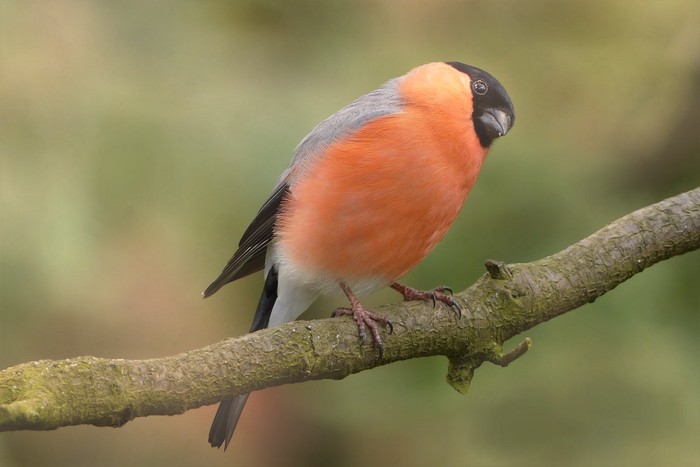
Adds subtle light changes, simulating deficiencies in film or the camera sensor.
Leaves the center clear.
Animate the offset property to make the lights move.
| Inputs |
Description |
|---|
| Image |
Source Image |
| Lights color |
Color to apply to lightened areas |
| Offset |
Offset of the effect |
| Opacity |
Maximum opacity |
| Mask Center |
Transparency of the clear center |
| Center Width |
Width of area not affected by light changes |
| Center Height |
Height of area not affected by light changes |
| Center blur |
Blur the separation between the effect and the clear center |
| Mask |
Mask out areas of the effect |
| Outputs |
Description |
|---|
| Image |
The resulting image |